
How to Find Public Court Records A Practical Guide
Learn how to find public court records with this practical guide. Discover how to use online databases, courthouse requests, and research tools.
When you need to find public court records, you essentially have three ways to go about it: digging through online government portals, heading down to the courthouse to request copies in person, or using a third-party database that pulls everything together for you. The right path really depends on what you're looking for and how much time you have.
Your Guide to Accessing Public Court Records
Trying to access public court records can feel like a daunting task, but it's usually more manageable than it seems. The justice system is built on transparency, but "public" doesn't always mean "easy to find." The records are scattered across a patchwork of federal, state, and county systems, and each one has its own set of rules and quirks. My goal here is to help you cut through that complexity.
This flowchart gives you a good visual starting point for the main search pathways.
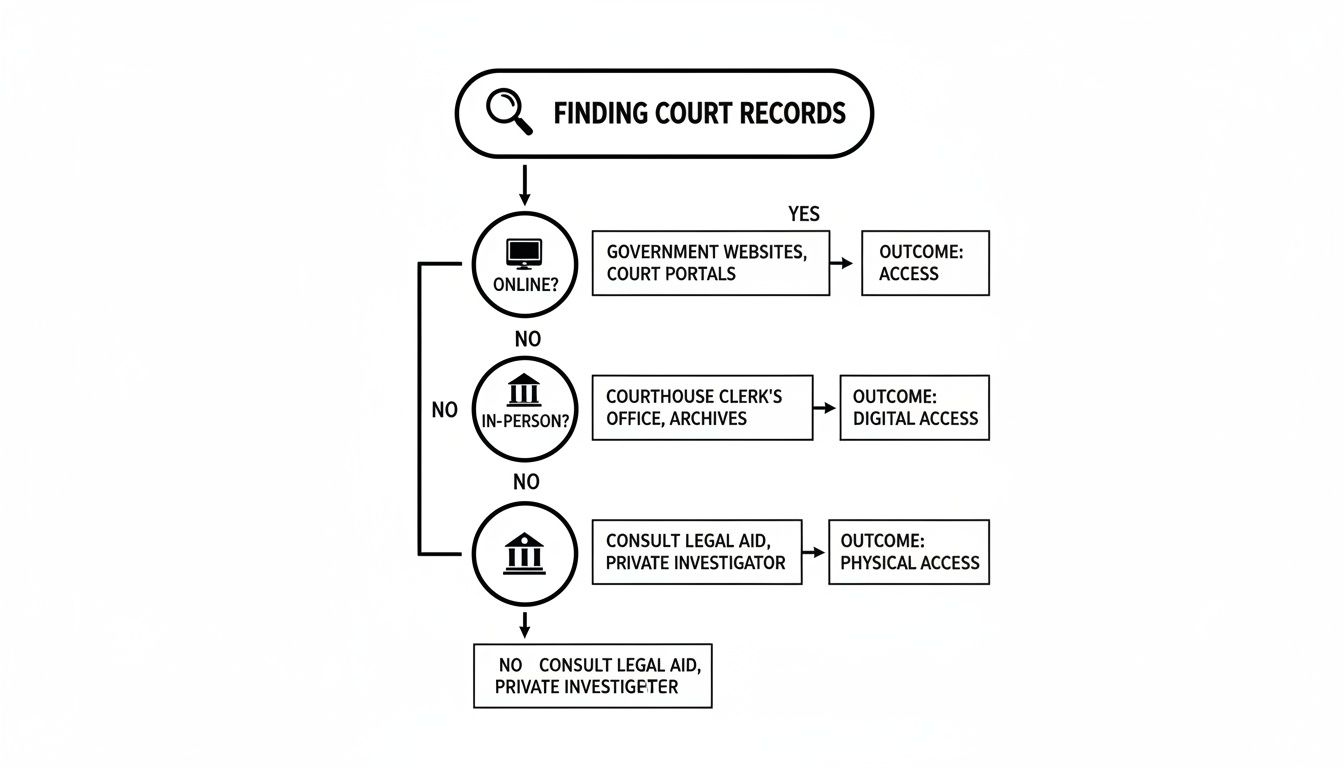
As you can see, your search really forks at the beginning: are you going digital, or are you going physical? Each choice leads to different resources and potential results.
Understanding the Three Main Pathways
Your strategy for tracking down court documents will almost always fall into one of three buckets. Each has its own pros and cons, making them better suited for different kinds of research.
-
Online Government Portals: This is where most people start, and for good reason. Federal cases live in the PACER system, while state and county clerks manage their own websites. If you know the right jurisdiction, these sites are great for pulling up dockets, motions, and final judgments.
-
In-Person or Mail Requests: Sometimes, you have to go old-school. When a record isn't available online or you need an official certified copy for legal purposes, visiting the clerk of court is the only way. This is often the case for much older files or in smaller jurisdictions that haven't fully digitized their archives.
-
Aggregated Third-Party Databases: Think of these as a powerful shortcut. These platforms do the heavy lifting by pulling records from countless different court systems into a single, user-friendly search tool. They can save you a massive amount of time you'd otherwise spend hopping between clunky government websites.
To give you a clearer picture, here's a quick breakdown of what to expect from each search method.
Quick Guide to Court Record Search Methods
| Search Method | Best For Finding | Common Access Hurdles |
|---|---|---|
| Online Portals | Specific dockets, recent filings, and final judgments when you know the jurisdiction. | Inconsistent interfaces, limited search functionality, and paywalls (e.g., PACER fees). |
| In-Person/Mail | Certified copies, older non-digitized records, and files from courts with no online access. | Time-consuming travel or mail delays, processing fees, and strict ID requirements. |
| Third-Party Databases | Quick, broad searches across multiple jurisdictions; finding records when you have limited info. | Subscription costs, potential for data lags, may not offer certified copies. |
Knowing these differences upfront helps you choose the most efficient path from the get-go.
Navigating the maze of court records is less about finding a single key and more about knowing which doors to try. The biggest challenge isn't a lack of information but the fragmented nature of its storage.
Setting Realistic Expectations
Before you even start typing, it’s crucial to know what you're up against. For example, you might look up a motor vehicle case in one Texas county and get instant digital results. But in the very next county over, the same search could require a formal written request and a week of waiting. This kind of inconsistency is the norm, not the exception.
For a closer look at the unique challenges in the Lone Star State, our guide on a Texas court records search offers some state-specific tips.
This variability is exactly why a flexible, multi-pronged approach works best. If the online portal is a dead end, an in-person request might be the answer. And if both of those are too slow or frustrating, an aggregated database can often get you what you need in minutes. By understanding all your options, you're much better equipped to find the public records you're after.
Getting Your Hands on Online Court Records
Gone are the days of spending hours digging through dusty courthouse filing cabinets. Today, millions of court documents are just a click away, but navigating the maze of online databases can feel like a full-time job. Each system has its own set of rules, quirks, and, yes, costs.
Let's break down how to tackle this digital labyrinth, from the sprawling federal system down to the local county clerk's office. This is the playbook you need to find the legal records you're looking for.
Cracking the Code on PACER
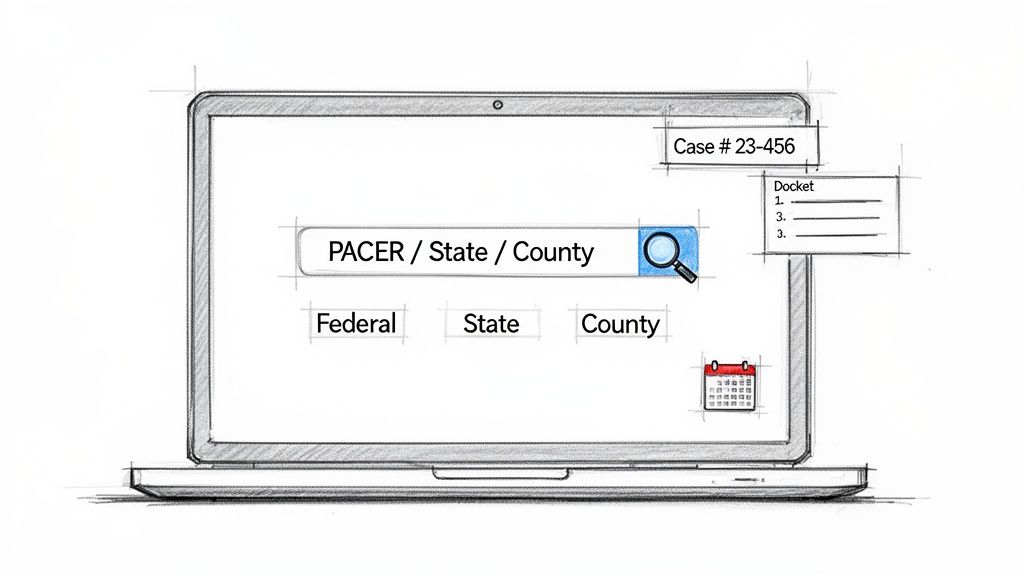
When you're dealing with a case filed in a U.S. federal court—think bankruptcy, appellate, or district court matters—your first and only stop is the Public Access to Court Electronic Records (PACER) system. It’s the official, all-encompassing vault for federal judicial documents.
But here's the catch: PACER isn't free. It runs on a pay-per-page model. As of early 2026, you'll pay $0.10 for every page you view or download. There's a $3.00 cap per document, which is the equivalent of 30 pages. That means just opening a 50-page motion to take a quick look will cost you $3.00.
Those small PACER fees can add up shockingly fast, especially when you're deep in research. The good news is the judiciary waives fees for anyone who accrues less than $30 in a quarterly billing cycle. This is a lifesaver for casual searchers, but legal pros can rack up serious bills in a hurry.
To use PACER without breaking the bank, you need a smart approach. Here are a few tips I've learned from experience:
- Start with the Case Locator. Before you even think about clicking on a specific court's database, use the free, nationwide PACER Case Locator. It'll help you confirm a case actually exists and tell you the right jurisdiction without costing you a dime in page-view fees.
- Use the Docket Sheet as Your Guide. The docket sheet is the table of contents for the entire case. It lists every single document that's been filed. Scan this first to pinpoint the filings that matter most (like an "Order on Motion for Summary Judgment") instead of wasting money opening everything.
- Get Specific with Search Filters. Be as precise as you can. Use filters for case numbers, party names, and filing date ranges to cut down the noise. A vague search for a common name will swamp you with irrelevant cases, and every wrong click costs money.
The Wild West of State and County Portals
Once you step outside the unified federal system, things get complicated. Fast.
Each state, and often every county within it, has its own online portal for court records. You’re left with a patchwork of systems that have wildly different features and levels of access.
Texas is a perfect example of this chaos. Big metropolitan counties like Harris (Houston) or Dallas offer sophisticated online portals with great search tools. You can often look up cases by a person's name, their attorney, or case type and view unofficial copies of documents completely free.
But drive out to a smaller, rural county, and you might find a website that offers little more than a basic case index. You'll be able to see that a case exists and maybe a list of filings, but if you want to read the actual documents, you're back to the old ways: visiting the courthouse or mailing in a request.
This isn't just a small hassle—it completely changes how you have to approach your search. Over the past decade, public court records have moved from paper to digital, but access is still a lottery depending on where you're looking.
The federal judiciary's PACER system alone handled over 40,000 appeals filings in 2025, a 3% increase from the previous year. This shows just how massive the volume of digital records has become. Still, PACER's paywall can be a real barrier, especially for low-income individuals.
For someone like an injured driver or an attorney researching motor-vehicle verdicts, this fragmented system means they have to piece together information from official portals, paid systems, and third-party aggregators to get a decent picture of past case outcomes. You can read more about these trends in research from the National Center for State Courts.
Smart Search Tactics for Any System
No matter what state or county portal you’re on, a few fundamental techniques will always get you better results when trying to find public court records.
Start with a Case Number If you have it, the case number is your golden ticket. It's the unique identifier that takes you straight to the right docket, cutting through any confusion from common names.
Master the Name Search When a name is all you have, you need to be strategic.
- Go with the Full Name: Always try "John Fitzgerald Smith" before you search for "John Smith."
- Try Aliases: If your first search comes up empty, think about common nicknames or variations.
- Filter by Role: Many systems let you specify if the person is a plaintiff, defendant, or attorney. This is a huge help for narrowing your results.
Use Filing Dates to Your Advantage If you have a general idea of when a lawsuit was filed or a judgment was handed down, use the date range filter. It's one of the best ways to slice through a long list of results, especially if you're searching for a common name or a large company.
The reality is that the disconnected nature of these systems makes doing thorough research a real grind. Trying to build a complete picture of case outcomes across different jurisdictions takes a ton of time and patience.
This is exactly why platforms that pull all this data together are becoming so crucial. For anyone looking to cut down on the legwork, a specialized case finder tool can merge information from all these different sources into one searchable place, saving you countless hours of manual effort.
Getting Records the Old-Fashioned Way
Online databases are a great first stop, but they're not always the end of the line. Sometimes the digital trail just goes cold, especially if you're digging into older cases or dealing with a county that hasn't fully digitized its records. When a web search comes up empty, it's time to go straight to the source: the courthouse.
Knowing how to find public court records offline is a critical skill. It's often the only way to get your hands on certain documents.
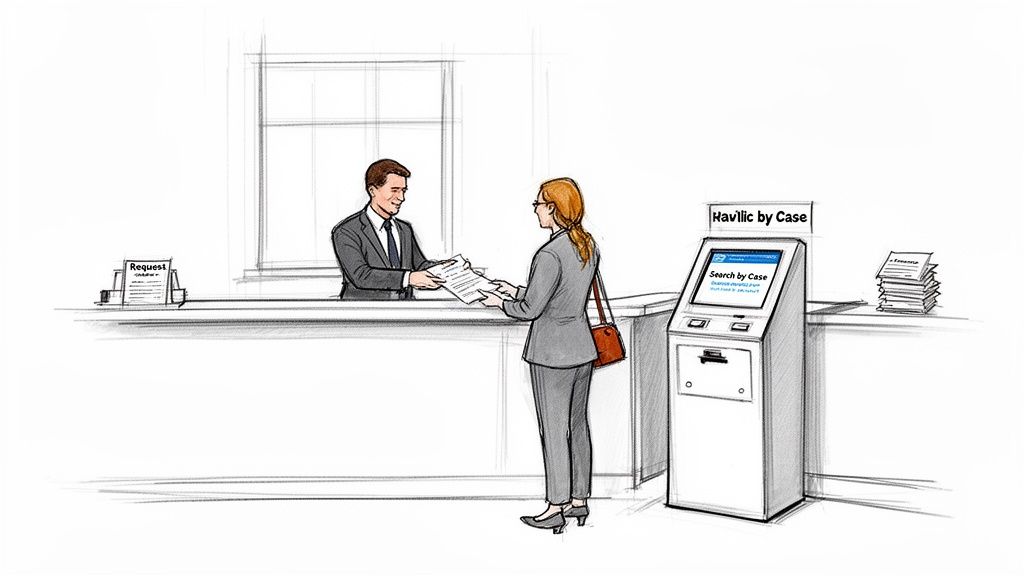
This boots-on-the-ground approach takes a little more legwork, but it can unearth records you simply won’t find anywhere else. The trick is to show up prepared and know the process before you even walk in the door.
Navigating the Clerk of Courts Office
The county or district clerk’s office is the official gatekeeper for all court filings. Your first task is to pinpoint the right courthouse. For instance, a case filed in Dallas County will have its records managed by the Dallas County District Clerk, not a clerk in a neighboring jurisdiction. A quick search for “[County Name] Clerk of Court” should get you the right address.
Once you’re there, come armed with as much information as you can muster. The more you can give the clerk, the faster they can find what you need.
- Case Number: This is the golden ticket. If you have it, the clerk can pull the file in moments.
- Party Names: The full names of everyone involved—plaintiffs and defendants. Having the correct spelling is crucial to avoid chasing down the wrong case.
- Filing Year: Even a rough idea of the year can dramatically speed things up, especially if you’re searching for a common name like John Smith.
Many clerk’s offices also have public access computer terminals right there in the building. These are typically free to use and let you search the court's internal database directly. I always recommend using these first to confirm the case number and other details before you ask a busy clerk to pull a physical file from the archives.
Visiting the courthouse isn't just a last resort; it's the only way to get certain documents. For any official legal matter, you'll likely need a certified copy—a document with an official stamp from the clerk verifying its authenticity. You can only get one of those in person or by mail.
Understanding Fees and Physical Copies
While looking up a case on a public terminal might be free, walking out with a paper copy in your hand will almost certainly cost you. These fees are set by the court, so there’s no room for negotiation.
Here are the typical costs to expect:
- Per-Page Copy Fees: This can be anything from $0.25 to $1.00 or more per page. For a case with hundreds of pages, this can add up fast.
- Certification Fees: If you need that official certified copy, expect an extra flat fee for each document, on top of the per-page cost.
- Search Fees: Some offices might charge a fee if you ask the clerk to do the searching for you, especially for a broad or time-consuming request.
Before you go, do yourself a favor and check the clerk's website or call ahead. Ask about their current fee schedule and what kind of payments they accept. Many government offices are still old-school and may only take cash, a money order, or a cashier's check.
Submitting Requests by Mail
If a trip to the courthouse isn't in the cards, you can usually request records by mail. This process demands absolute clarity. A vague letter will just lead to delays or, worse, you getting the wrong documents.
When you write your request, include every piece of information you have, especially party names and the case number.
Be specific about what you need. Instead of asking for "the whole file" (which could be expensive and unnecessary), ask for "the final judgment" or "the plaintiff's original petition." This makes the clerk's job easier and gets you exactly what you need.
You'll also need to sort out the payment. A good practice is to state in your letter that you are ready to pay the required fees and ask the clerk to contact you with the total. Tucking a self-addressed, stamped envelope into your request is also a nice touch that can speed things up. It’s that little bit of attention to detail that makes a mail-in request successful.
What Court Records Will (and Won't) Tell You
Getting your hands on a court document is a great first step, but it’s rarely the end of the story. The real work begins when you start to understand the limitations of what you’ve found. Public records almost never paint the complete picture, and it’s critical to know what’s missing before you start drawing conclusions.
You'll quickly run into roadblocks that keep you from seeing the full picture. Court records are often sealed, expunged, or redacted for a whole host of legal and privacy reasons. This isn't a flaw in the system; it's a necessary feature designed to protect sensitive information.
Navigating Sealed and Expunged Records
When a judge orders a record to be sealed, it's essentially locked away from public view. This is common in cases that involve things like corporate trade secrets, confidential informants, or situations where making the information public could put someone in danger. For all intents and purposes, a sealed record doesn't exist for a public search.
An expunged record takes it a step further—it's legally erased or destroyed. This is often an option for people who have completed sentences for certain crimes, giving them a chance at a clean slate. If a case has been expunged, you won’t find a single trace of it in public databases.
The ability to access public court records is a cornerstone of a just society. But even in the most transparent systems, privacy laws demand that courts wall off entire categories of sensitive cases from public view.
This tension between transparency and privacy is a constant balancing act. For instance, juvenile court records are almost universally sealed to protect minors. The same goes for many family law cases, like adoptions or contentious custody disputes, which are kept confidential to shield the families involved.
Decoding Redacted Documents
More common than a completely sealed case is a redacted document. This is where specific pieces of information within an otherwise public record are blacked out. The goal is to protect personal privacy while keeping the rest of the document accessible.
You’ll see redactions used all the time to hide things like:
- Social Security numbers
- Bank account details
- Home addresses and phone numbers
- The names of minor children
Let’s say you're looking at a witness deposition from a civil lawsuit. You might see entire paragraphs blacked out where the witness discussed their private medical history. Seeing those black bars is a clear signal that important context is missing and that the document alone doesn't tell the whole story. Understanding the litigation process itself can provide more context on when and why these documents are created. To learn more, check out our guide on what the litigation process entails.
The Black Hole of Private Settlements
One of the biggest gaps you'll encounter, especially when researching motor vehicle cases, is the private settlement. The truth is, the overwhelming majority of personal injury claims never see a final verdict in a courtroom. They’re quietly resolved through confidential settlement agreements between the parties and their insurance companies.
This means the official court docket might show a lawsuit was filed and later dismissed, but you'll almost never find the settlement amount or the terms of the deal. This creates a massive blind spot for anyone trying to figure out what a typical case is actually worth.
Global rule-of-law metrics from organizations like the World Justice Project highlight this challenge. While open data is a core principle of justice, privacy protections mean sensitive cases are often walled off. In major U.S. markets, the prevalence of private settlements in motor-vehicle cases just makes this problem worse.
This is exactly where official records fall short. Without access to aggregated data that includes both public verdicts and disclosed settlement information, you’re only seeing a tiny fraction of how these cases actually end. It's like trying to understand an iceberg by only looking at the tip. The biggest part of the story is hidden just beneath the surface.
A Better Way: Using Aggregated Databases for Your Search
Let's be honest: searching through fragmented government websites is a grind. You can spend days jumping from one county clerk’s site to another, each with its own quirky layout and clunky search function. What should be a simple task can quickly spiral into a frustrating, time-sucking project. This is exactly why modern, aggregated databases have become such an indispensable tool.
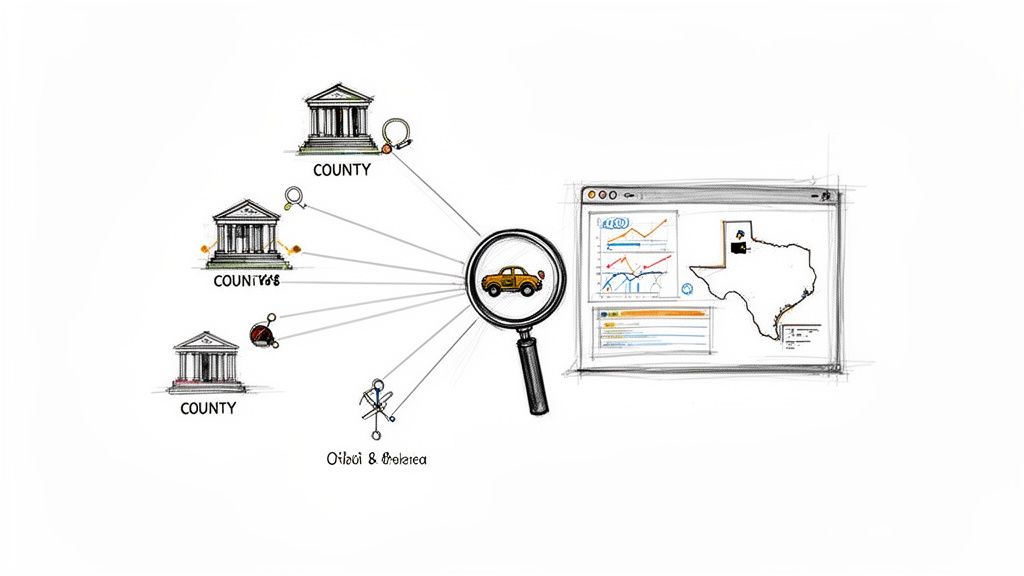
These platforms do the heavy lifting for you. They pull together records from countless jurisdictions, clean up the messy data, and organize it all into a single, user-friendly search tool.
Bringing Order to the Chaos
Think of an aggregated database as a universal translator for public records. It takes all the inconsistent, jumbled data from hundreds of different sources and presents it in a clean, filterable format. This simple step can save you dozens of research hours and, more importantly, help you spot connections you would almost certainly miss otherwise.
A service focused on Texas motor vehicle cases is a perfect example of the power these tools offer. Instead of just pulling up a single case file, you can start to see and analyze trends across the entire state.
The real magic of an aggregator isn't just finding one document faster; it's the ability to see the bigger picture. You can compare outcomes, identify patterns, and make data-driven decisions that are impossible when you’re looking at cases one by one.
This ability to zoom out and see the forest for the trees is what really sets these platforms apart. They don't just give you data; they give you intelligence.
Gaining Deeper Insights from Structured Data
The true value of an aggregation tool is in how it structures information. A standard court docket might list case filings, but it won't give you searchable data points buried within those documents. A good database changes the game entirely.
With a powerful aggregator, you can filter results by factors that are usually hidden deep inside court documents:
- Specific Injury Types: Isolate cases involving spinal cord injuries versus those with only soft tissue damage.
- Accident Scenarios: Compare the outcomes of rear-end collisions against T-bone accidents.
- Award Amounts: Analyze median and average awards for similar cases in a specific county or across all of Texas.
- Case Timelines: See how long it typically takes for certain kinds of cases to resolve.
This structured approach lets you ask much smarter questions. You’re no longer just asking, "What happened in this one case?" You're asking, "What typically happens in cases like mine?" That shift in perspective is incredibly powerful.
Bridging the Gaps in Public Infrastructure
The need for these tools exists because our public record systems have limitations. The ease of finding public court records often depends on how much a particular court has invested in its own technology.
A 2025 justice-technology review noted that while more courts are adopting digital recording and automated case labeling, the progress is wildly uneven. If you're researching motor-vehicle injury cases in Texas, for instance, the files might be public, but they're scattered across countless county systems with terrible search functions.
Aggregators effectively "stitch together" what the public infrastructure doesn't provide. A service like Verdictly, for example, unifies verdicts and settlement disclosures from 2015–2025 into a single database. This lets you see, in minutes instead of days, how similar cases have played out across different counties, fact patterns, and award ranges. You can dig deeper into this topic in a recent report on court technology trends for 2025.
Aggregation in Action: A Real-World Scenario
Imagine you were in a rear-end collision in Dallas County and suffered a herniated disc. Trying to find comparable cases the old-fashioned way would be a nightmare. You’d have to:
- Navigate the Dallas County court records portal.
- Run broad keyword searches like "rear-end collision," which would spit out hundreds of irrelevant results.
- Manually open and read through dozens of case files, hoping to find a few that match your situation.
- Repeat this entire frustrating process for neighboring counties like Tarrant, Collin, and Denton just to get a broader view.
This could easily eat up days of your time with no guarantee of finding what you need.
Now, picture the workflow with an aggregated database. You simply apply filters for "rear-end collision," "herniated disc," and "Dallas County." In seconds, you get a clean list of relevant cases, complete with verdict amounts and key details.
It’s the difference between building a car from a pile of parts and driving a finished vehicle right off the lot. For anyone who needs to work with comprehensive legal data, these tools aren't just a convenience—they're essential.
Answering Your Questions About Finding Court Records
When you first dive into searching for court records, a few questions always seem to pop up. It's a world with its own rules, and getting a handle on the basics can save you a lot of time and frustration. Let's walk through some of the most common hurdles people face.
Are All Court Records Actually Public?
Not quite, and this is probably the most important thing to understand from the get-go. While our justice system is built on the idea of transparency, it's not a free-for-all. There are solid legal reasons why some information is kept private.
Think of it this way: "public access" doesn't mean you can see every single document filed. It means you can see what the law allows the public to see. Many records are either sealed (hidden completely) or redacted (with sensitive parts blacked out).
You’ll almost always find this with cases involving juveniles, which are kept confidential to protect the minor. The same privacy rules typically apply to:
- Sensitive Family Matters: Things like adoptions or particularly messy custody battles are often sealed to shield the family from public exposure.
- Business Trade Secrets: If a lawsuit involves a company's secret formula or private financial data, a judge will likely protect that information from competitors.
- Personal Information: To prevent identity theft or harassment, details like Social Security numbers, bank accounts, and home addresses are always removed from public view.
What's This Going to Cost Me?
The price for getting your hands on court documents can be anything from zero to a surprisingly high number. It all comes down to how and where you look.
If you go to the courthouse and use one of their public computer terminals, you can usually view records for free. The moment you need a digital or paper copy for yourself, though, the fees start kicking in. The federal PACER system, for example, charges $0.10 per page viewed or downloaded. That sounds cheap, but it adds up fast if you're digging through hundreds of pages.
If you request physical copies directly from a clerk's office, you're usually looking at two types of fees:
- Copying Fees: A standard per-page charge for printing, which often runs between $0.25 and $1.00 a page.
- Certification Fees: Need an official copy with a court seal for a legal reason? That comes with an extra flat fee for the clerk's stamp and signature.
My advice? Always check the court’s website or just call the clerk’s office beforehand to get a clear picture of their fee schedule. No one likes a surprise bill.
I Know a Case Exists, So Why Can't I Find It?
This is easily the most common frustration people run into. You're sure the case is real, but every search comes up empty. Before you throw in the towel, take a breath and troubleshoot your search. It's usually a simple mix-up.
A failed search is often a matter of crossed wires—a typo, the wrong jurisdiction, or a sealed file. The key is to methodically re-check your starting information before concluding the record is unavailable.
Let's look at the usual suspects:
- You're in the Wrong Courthouse (Digitally Speaking): A state case won't be in the federal PACER system. A case from Dallas County won't be in the Harris County database. The first step is always to confirm you're searching in the correct jurisdiction.
- A Simple Typo: It happens to everyone. A misspelled name or one wrong digit in a case number is the number one reason for a failed search. Double-check your spelling and every number.
- The Case is Sealed: As we talked about earlier, a judge may have ordered the case file sealed, which removes it from public view entirely.
- It’s an Older, Non-Digitized Case: Especially in smaller counties, records from before the digital era might only exist on paper in a file room. Finding these requires an old-school, in-person visit or a request by mail.
By working through these possibilities one by one, you can usually figure out why a record is playing hard to get and decide what to try next.
Stop guessing and start negotiating with data. Verdictly provides transparent access to real Texas motor vehicle verdicts and settlements, so you can see what cases like yours are actually worth. Search our database today and arm yourself with the information you need.